
How to Lower Cost per Install for a Subscription App
How app startups get more downloads and paying users for less with Google app campaigns and Facebook and Instagram ads optimized for purchases.
By the e50 Ads team. Published . 5 min read.
Key takeaways
- Cheap installs are only good news if those users pay. Optimize campaigns for in-app purchases or subscriptions, not just downloads.
- Google app campaigns reach people across search, the Play Store and video; Facebook and Instagram reach people by interest and behavior before they search.
- Your app store page converts the ad click into an install, so its screenshots, ratings and first lines matter as much as the ad.
- Clear positioning that earns trust matters most in categories where users hand over sensitive data or access.
- A parental control app we work with reached a $0.37 average cost per download and a 22% average in-app purchase rate.
In this guide
- The trap of cheap installs
- Set up tracking before you spend
- Google app campaigns
- Facebook and Instagram install ads
- Your app store page is your landing page
- Positioning that earns trust
- The metrics that matter
- Creative is the biggest lever
- Common mistakes in app user acquisition
- Keep optimizing after launch
- A parental control app that found paying users
Getting an app downloaded is hard. Getting it downloaded by people who will pay is harder. App stores are crowded, every category has big, well-funded competitors, and a new app usually starts with no ratings, no reviews and no brand recognition.
This guide covers how startups can lower their cost per install and, more importantly, their cost per paying user.
The trap of cheap installs
It is easy to buy cheap installs. Broad targeting, incentive-heavy ads and install-optimized campaigns can push the cost per download down fast. The problem is that many of those users open the app once and never come back.
The number that matters is cost per paying user: what you spend to acquire someone who subscribes or buys in the app. Compare it with what a paying user is worth over their lifetime. If the first is lower than the second, you can scale. If not, cheaper installs will only lose money faster.
Set up tracking before you spend
App campaigns are only as smart as the data they get. Before scaling:
- Track installs, sign-ups, trial starts and purchases or subscriptions as separate events.
- Connect them to your ad platforms through your analytics or attribution setup, so Google and Meta know which users became valuable.
- Check the numbers against your own back end. If the ad platform reports twice as many purchases as you see, fix that before optimizing anything.
Google app campaigns
Google app campaigns place your ads across search, the Play Store, video and partner apps from one campaign. You provide text, images and video, and Google's system finds users.
What helps:
- Optimize for in-app actions such as purchases or subscriptions once you have enough volume, rather than installs alone.
- Give the system strong creative: several headlines, images and short videos that show the app in use.
- Separate campaigns by country or platform when costs and value differ widely.
- Use search campaigns for people searching for your app category by name.
Facebook and Instagram install ads
Facebook and Instagram are strong at finding new users before they search, by interests, behaviors and lookalikes of your best customers.
- Show the problem and the solution in the first seconds of a video.
- Test several angles: the fear the app solves, the benefit it delivers, the social proof behind it.
- Optimize for purchase events once you have the data.
- Build lookalike audiences from paying users, not from everyone who installed.
- Watch placement performance and shift budget toward the placements that bring paying users at the best cost.
Your app store page is your landing page
The ad gets the tap; the store page gets the install. Many campaigns fail here.
- Screenshots that tell a story: the main benefit in the first two, with short captions.
- A clear first line in the description that says what the app does and for whom.
- Ratings and reviews. Prompt happy users to rate the app at a good moment, such as after they complete a key action.
- A preview video where it makes sense.
- Consistency with the ad. If the ad promises one thing and the store page talks about another, people leave.
Positioning that earns trust
In categories like security, finance, health or family apps, users are handing over sensitive data or device access. Trust decides whether they install, and whether they pay.
Build it into everything: clear explanations of what the app does and does not do, a privacy-respecting tone, reviews from real users and a professional website and store page. Ads that speak to a real worry, calmly and specifically, tend to beat ads that shout.
The metrics that matter
| Metric | What it tells you | Watch out for |
|---|---|---|
| Cost per install | How cheaply you get downloads | Cheap installs from users who never open the app |
| Install to trial or sign-up rate | Whether onboarding works | Long or confusing onboarding |
| Cost per trial or sign-up | The real cost of an engaged user | Trials that never convert |
| In-app purchase or subscription rate | How many users pay | Paywalls shown too early or too late |
| Cost per paying user | What a customer really costs | Comparing it with the wrong lifetime value |
| Retention | Whether users keep coming back | Growth that hides churn |
Look at these numbers by campaign, placement and creative, not just as an overall average. Averages hide the campaigns that bring payers and the ones that only bring downloads.
Creative is the biggest lever
On app campaigns, targeting is increasingly automated. Creative, meaning the videos, images and text you provide, is what you control most, and it usually has the biggest effect on results.
- Show the app solving the problem, on a real screen, in the first seconds.
- Lead with the user's situation, not the feature list.
- Make several versions of each idea: different hooks, lengths and formats for feed, stories and video placements.
- Retire tired creative. When cost per paying user rises on a creative that used to work, the audience has probably seen it too often.
- Learn from winners. When a creative works, make variations of it rather than starting from scratch.
Common mistakes in app user acquisition
Optimizing for the wrong event. Install-optimized campaigns find people who install, not people who pay.
Scaling before tracking is right. If purchase events are missing or duplicated, the platforms optimize toward noise.
Ignoring the store page. A great ad cannot fix a store page with weak screenshots and low ratings.
Judging too fast. App campaigns need time and data to learn. Changing everything every two days resets the learning.
Spreading the budget too thin. Many small campaigns each get too little data. Fewer, well-funded campaigns usually learn faster.
Keep optimizing after launch
- Weekly: review cost per install, cost per trial and cost per purchase by campaign, placement and creative.
- Cut the campaigns and creatives that bring installs but no payers.
- Refresh creative regularly; performance drops as audiences see the same ads.
- Improve onboarding in the app: every user who reaches the paywall more often lowers your real acquisition cost.
A parental control app that found paying users
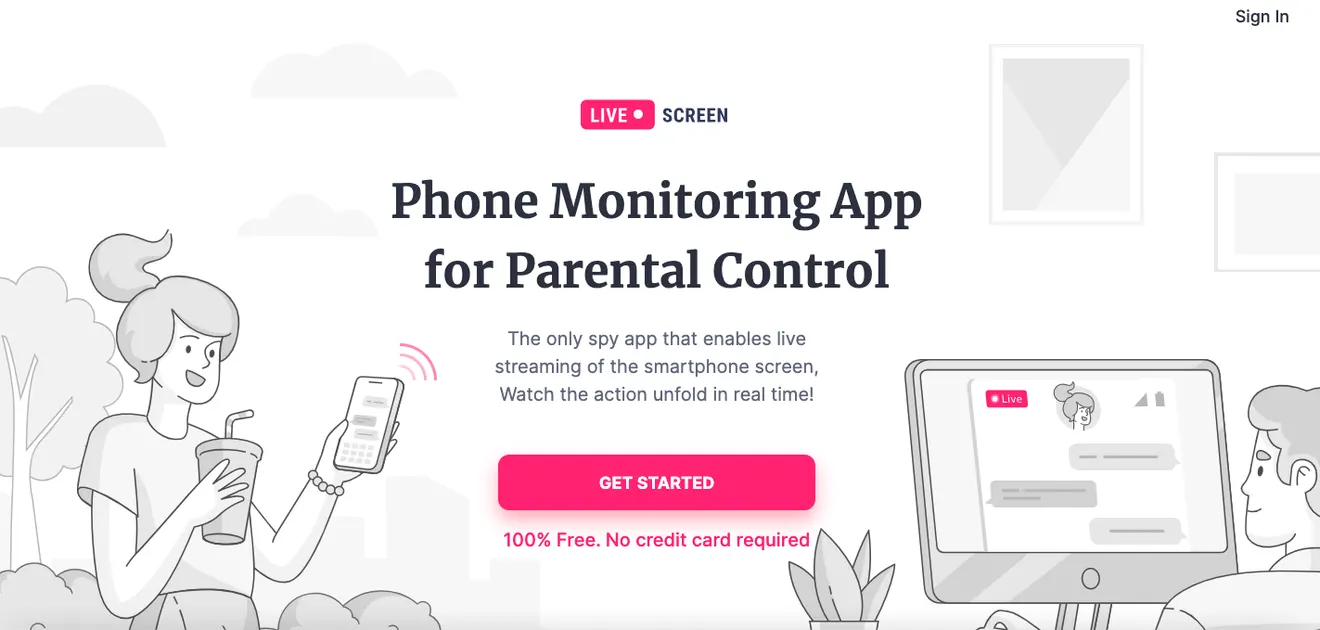
Live Screen, a California startup behind a parental control app, needed downloads and paying users in a crowded app market with low initial awareness.
We ran focused Google and Facebook and Instagram campaigns, optimized them with data for a tech-savvy audience, and built positioning designed to earn trust. The average cost per download came to $0.37, and 22% of users made an in-app purchase on average. Google ads drove in-app purchases at $58.38 each with a 17.44% click-through rate; Facebook and Instagram drove installs at $1.68 each. Customer acquisition costs came down, and the startup got a scalable acquisition plan for long-term growth.
The takeaway for any app: chase paying users, not downloads, and the downloads will take care of themselves.
Frequently asked questions
- What is a good cost per install for an app?
- It varies widely by platform, country, category and how you count an install. More important than the install cost is what an install is worth, so measure cost per paying user and compare it with what a paying user brings in over time.
- Should I optimize app campaigns for installs or purchases?
- Start by making sure purchase or subscription events are tracked correctly, then optimize toward them as soon as you have enough volume. Install-optimized campaigns often bring cheap users who never pay.
- Google or Facebook ads for app installs?
- Usually both. Google app campaigns reach people searching for apps like yours and across its network. Facebook and Instagram are strong at finding new users by interest and behavior. Running both lets you compare cost per paying user and shift budget accordingly.
By the way, we have a case on this.
Live Screen, Parental control app, California
A California startup behind a parental control app needed downloads and paying users in a crowded app market.
- average cost per app download
- $0.37average cost per app download
- average in-app purchase rate
- 22%average in-app purchase rate
Results from individual client campaigns. They do not guarantee the same results for every business.
More guides
All articles- Beyond Amazon: Growing Your Own Online Store with Ads
How Amazon sellers can build a profitable online store of their own with Google Shopping and Facebook and Instagram ads, and raise ROAS month by month.
- Catering Marketing: How to Get More Catering Orders Online
How catering companies win more event bookings and online orders with a website that takes payments, local Google ads and Facebook and Instagram ads.
- How Personal Injury Law Firms Can Lower Their Cost per Lead
A playbook for personal injury firms to get more qualified case inquiries for less with Google Ads, Facebook and Instagram ads and a website that converts.